项目介绍
SVC for Lunar Client
SVC for Lunar Client is a lightweight modpack that allows you to use Simple Voice Chat on Lunar Client.
Note: We recommend using Lunar Client to gain the best experience while using this modpack, however it can be launched on any modpack loader.
Modpack Content
- Simple Voice Chat: A working voice chat in Minecraft.
- Sodium: Modern rendering engine which greatly improves performance.
- Iris: Modern shaders mod for Minecraft, compatible with OptiFine shader packs.
- Fabric API: Adds common hooks and intercompatibility measures.
- Mod Menu: Adds a mod menu to view an in-game list of all the mods you have installed.
FAQ
How do I install the SVC modpack on Lunar Client?
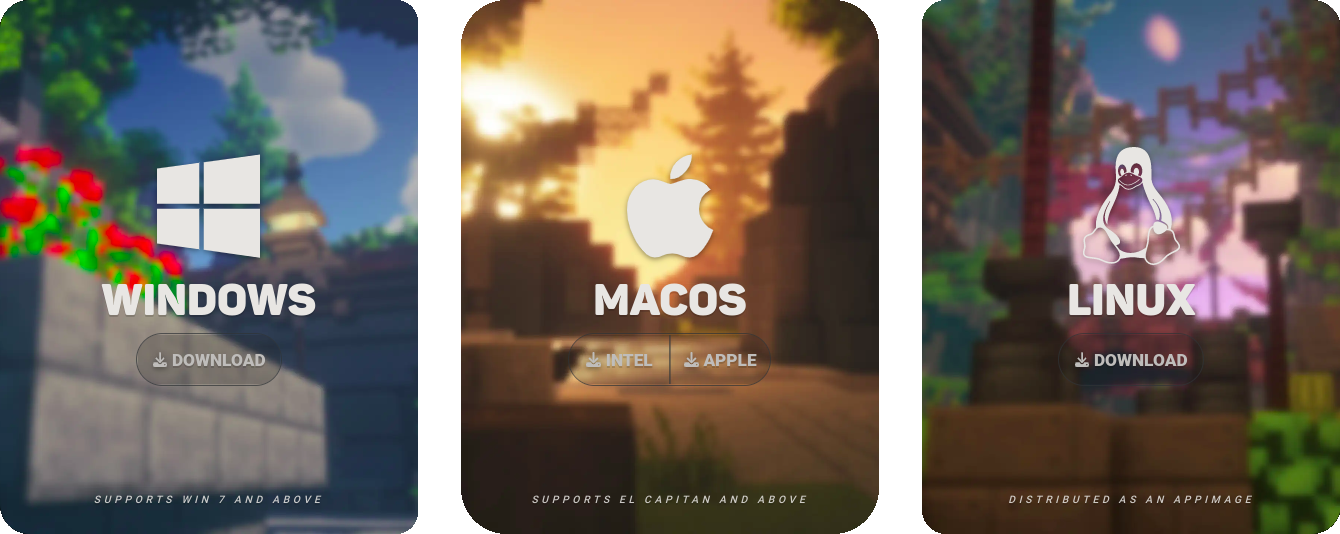
Here are the five easy steps you need to take!Step 1: Download Lunar Client
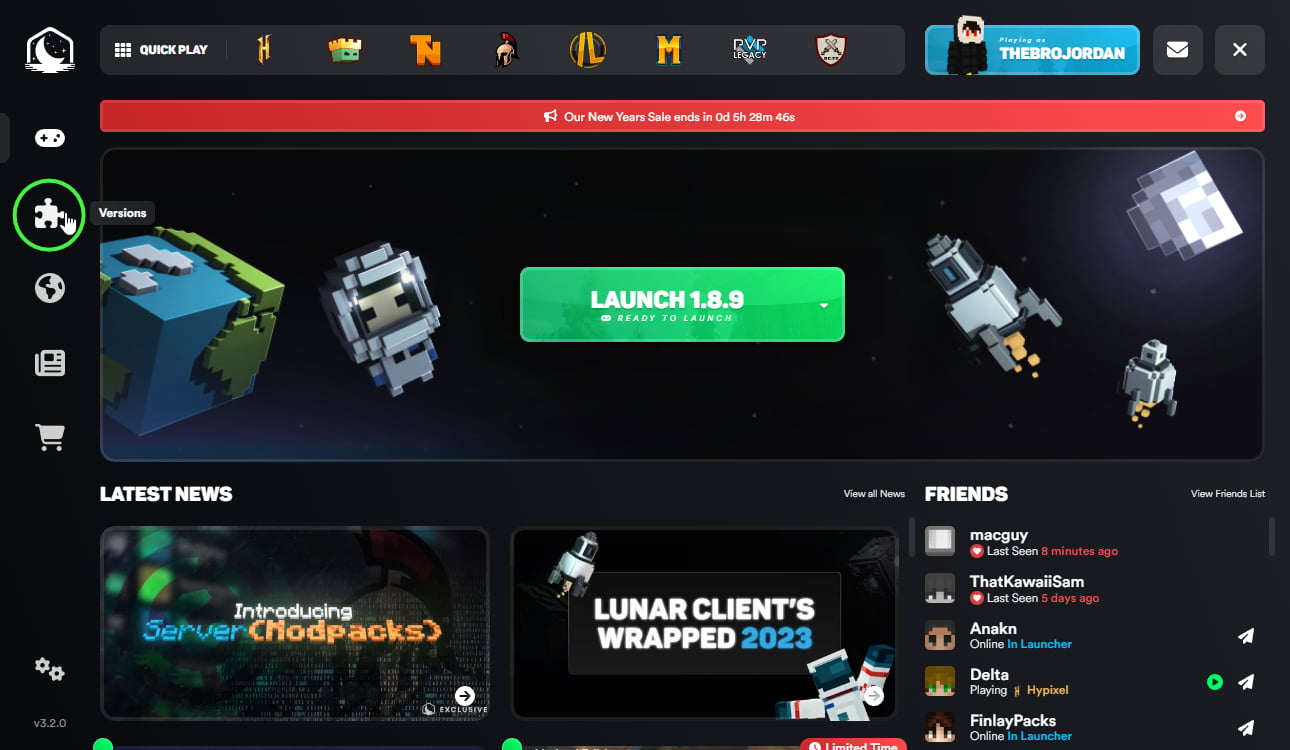
Step 2: Select "Versions" on the Lunar Client Launcher
Step 3: Click "Modpacks" on the top of the page

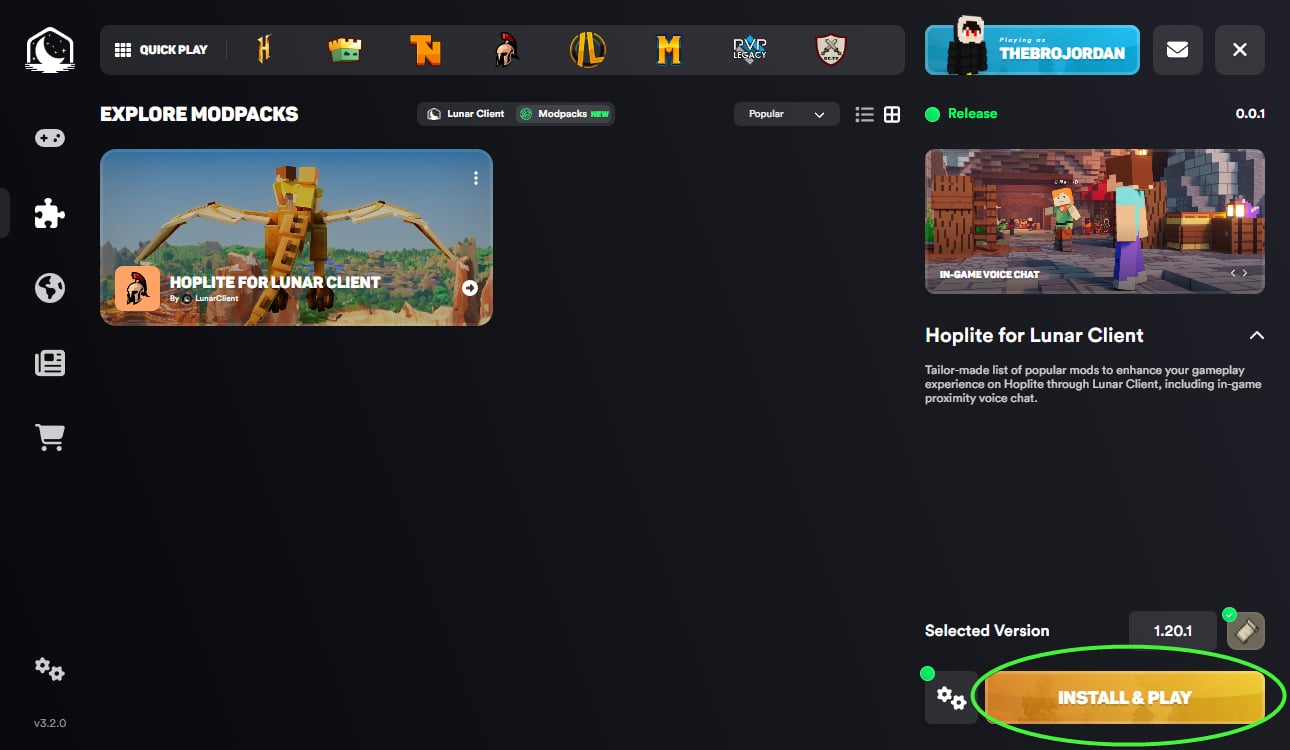
Step 4: Install your modpack of choosing, in this case the SVC for Lunar Client Modpack.
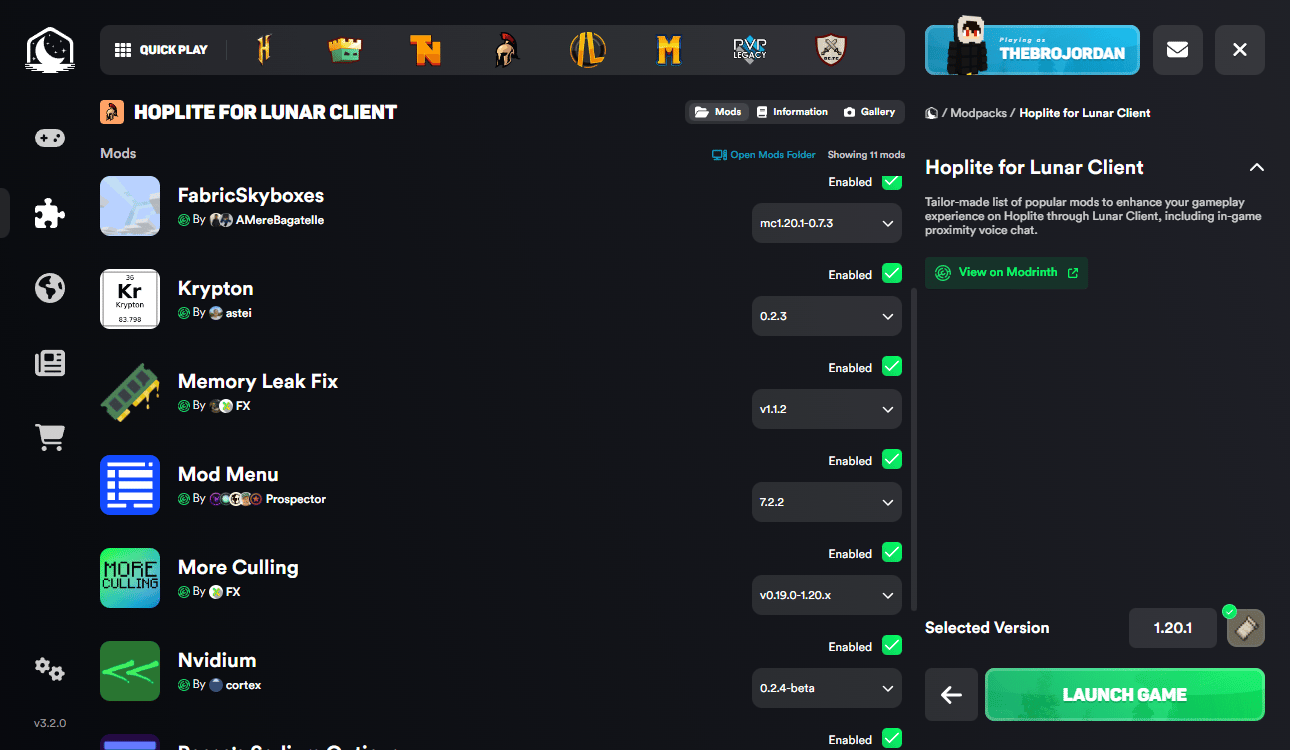
Step 5: Click "Launch Game" after the install is complete!
Connect with fellow SVC enthusiasts and stay in the loop with latest updates in our Discord.
对照原文
SVC for Lunar Client
SVC for Lunar Client is a lightweight modpack that allows you to use Simple Voice Chat on Lunar Client.
Note: We recommend using Lunar Client to gain the best experience while using this modpack, however it can be launched on any modpack loader.
Modpack Content
- Simple Voice Chat: A working voice chat in Minecraft.
- Sodium: Modern rendering engine which greatly improves performance.
- Iris: Modern shaders mod for Minecraft, compatible with OptiFine shader packs.
- Fabric API: Adds common hooks and intercompatibility measures.
- Mod Menu: Adds a mod menu to view an in-game list of all the mods you have installed.
FAQ
How do I install the SVC modpack on Lunar Client?
Here are the five easy steps you need to take!Step 1: Download Lunar Client
Step 2: Select "Versions" on the Lunar Client Launcher
Step 3: Click "Modpacks" on the top of the page
Step 4: Install your modpack of choosing, in this case the SVC for Lunar Client Modpack.
Step 5: Click "Launch Game" after the install is complete!
Connect with fellow SVC enthusiasts and stay in the loop with latest updates in our Discord.